
Troubleshooting Common Issues
Published on December 17, 2025
Utilities 4 Dragon is designed to work seamlessly with Dragon speech recognition software, but you may encounter occasional issues. This guide provides solutions to common problems, ensuring you can use Dictation Box, Speech Commander, and other tools effectively.
Windows Not Appearing Issues
Problem: An application (Can be true of any window) does not appear on the screen when called.
Solution:
- Verify that there is not a "top-mode" window in the forefront. Certain applications, like the task manager, forces themselves to be in the forefront. Minimizing those windows might help.
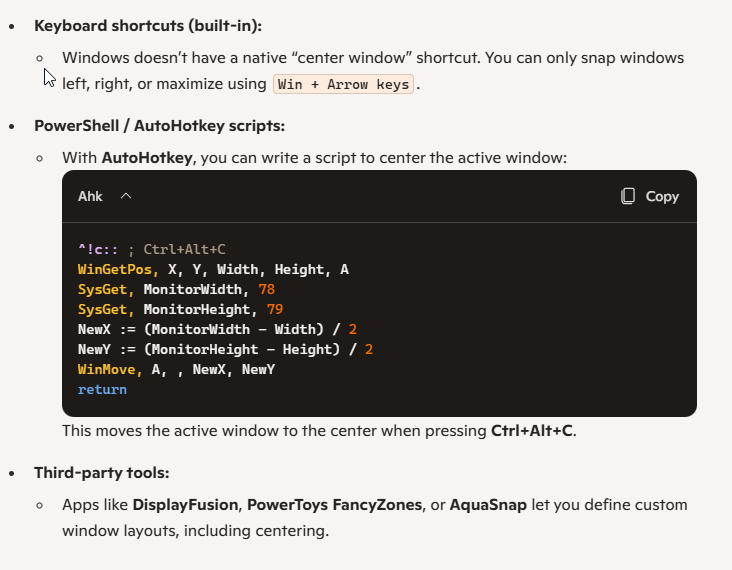
- It is possible for some windows to be saved when not on the viewable portion of the screen. If you have our "my center" command, use that to bring the application to the middle of the screen. Try to initiate the missing screen application once again to verify that it is the "current window" then use one of these centering techniques. Here are some alternatives The "my center" application saved: Centering a window
- Right-click the .exe file and select “Run as Administrator.”
Recognition Problems
Problem: Commands or dictation are not recognized accurately.
Solution:
- Verify that you have the right microphone selected. If you have multiple microphones it is easy for the configuration to change. You may have a microphone attached to your WebCam in addition to your "Dragon" microphone. These get reset automatically when certain changes/updates take place. Go to the DragonBar, Settings, Microphone. Verify by using choose microphone. Then do a check microphone to recalibrate your voice and environment profile. This should be done fairly often.
- Retrain your Dragon voice profile (takes 10–15 minutes).
- Use a noise-canceling headset to minimize background noise. The latest Dragon versions work with almost any microphones fairly well. However, under the good, better, best mantra, it doesn't hurt to have better equipment.
- Use the Mike-Level program, Or your sound settings to adjust microphone sensitivity and test audio input.
Performance Issues
Problem: Slow response times or lag.
Solution:
- Close unnecessary background apps to free up system resources.
- Increase RAM allocation for Dragon in its advanced settings.
- Check for updates in Utilities 4 Dragon to ensure you have the latest performance fixes.
Need Further Help?
If issues persist, contact our support team at support@utilities4dragon.org Most problems are easily resolved, so you can focus on productivity.
